For CAs & tax practices

Every client's filing — from first document to e-verification.

One trail per client and year — documents, computation, filing and acknowledgement in one place, with a view your client can follow.

THE PROBLEM

Filing season shouldn't mean chasing documents

The computation takes an hour. Getting the documents from the client takes three weeks.

  • Documents by WhatsAppForm 16 in one chat, the insurance receipt in another, a photo of a bank letter in a third.
  • "What else do you need?"Clients don't know what's missing — and your team spends days reminding them.
  • "Is my return filed?"Status calls in the busiest weeks of the year, because clients can't see progress.
  • Last year, somewherePrevious computations and acknowledgements buried in folders when a notice arrives.
ONE CLIENT, ONE YEAR, ONE TRAIL

The whole filing, in order

Use these stages for income tax returns — or create your own for GST, audits, company incorporations and notices.

1 · COLLECTION

KYC, Form 16, investment proofs, bank and capital-gains statements.

2 · COMPUTATION

Working papers and the computation shared for client approval.

3 · PAYMENT

Self-assessment or advance tax challans, each on its own event.

4 · FILING

Return filed, acknowledgement attached, e-verification tracked.

5 · AFTER FILING

Refund status, intimations and notices — on the same trail, with full history.

LIVE DEMO

Try a sample filing

Open the client view and upload the missing health insurance receipt — watch the checklist and timeline update.

INSIDE CONTUITIVE

Built for the busiest weeks of your year


Inside Contuitive
An income tax return filing in Contuitive with the client, financial year and answers at the topAn income tax return filing in Contuitive with the client, financial year and answers at the top
An ITR filing as a real Contuitive project, made from the ITR Filing — Individual Client workflow.
FILING CHECKLIST

The whole year of one client, in order

Engagement and fees, AIS and Form 26AS, Form 16, the computation approved by the client, filing and e-verification — and next year's advance tax instalments already on the list.
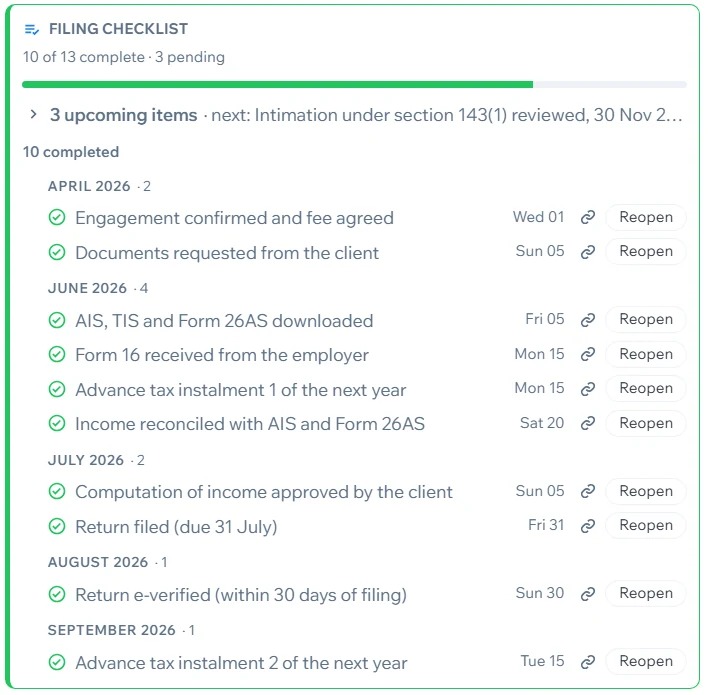
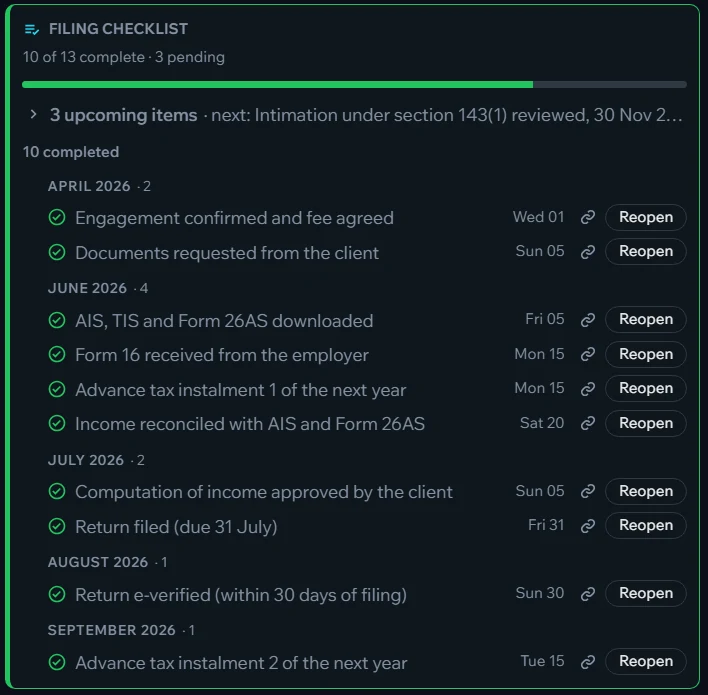
A filing checklist: 10 of 13 complete, grouped by monthA filing checklist: 10 of 13 complete, grouped by month

Ready-made workflows for CA firms

ITR Filing — Individual ClientCompany Tax and GST ComplianceSmall Business Tax and GSTBusiness Licences and Renewals

See the workflow library — more workflows and regions are added regularly.

Clients upload to the right place

"Upload your health insurance receipt" — it arrives on the collection event, not in your WhatsApp.

Reminders clients can answer

A reminder to the client, answered with the document — and the trail moves on.

Progress your client can see

A link and a one-time code. Clients see what's done and what's needed — fewer status calls.

Generate letters for every client

Create engagement or document-request letters for hundreds of clients in one go, from a CSV and your own Word format — ready to print or send.

Learn more

AI reads receipts & statements

Amounts, dates and names extracted into searchable fields. OCR makes scanned papers searchable.

Learn more

Every year, one click away

Last year's trail — computation, challans, acknowledgement — ready when a notice arrives.

Roles for partners, staff & articles

Decide who sees which clients. Every view, upload and change is recorded.

Learn more

Automate the routine

PowerTags archive a year's documents after filing or share them with a team automatically.

Learn more

Document checklists

"10 of 13 complete — 3 pending", per client and year. Asking the client automatically arrives with client sharing.

WORKS ALONGSIDE YOUR PRACTICE TOOLS

Keep your compliance and billing tools. Add the client file they're missing.

Compliance calendars tell you which returns are due. PowerTrail holds the story behind each one — every document, message and decision for that client and year, in order.

  • PAN, bank statements and financial records stay on a server that's yours alone — a computer in your office or a dedicated cloud instance, never a shared database.
  • Self-hosting? Run AI fully offline with Ollama, so client documents are never sent out for processing.
  • Unlimited clients — only your staff need licences.
ITR documents · example Checklist

5 of 7 received · 2 requested from client

  • PAN & Aadhaar (masked)
  • Form 16
  • AIS / Form 26AS reviewed
  • Section 80C investment proofs
  • Bank interest certificates
  • Health insurance receipt (80D) — requested
  • Capital gains statement — requested

Example only. You define the checklists for each type of client and engagement.

Make this filing season calmer

We're inviting a small group of CA firms and tax practitioners as founding customers — and we'll set up your client workflows with you.

Request an invitation