PowerTrail · in early access

The whole story of every matter — documents included.

One living timeline per case, deal or client — every event with its notes, its documents and its next reminder.

ANATOMY OF A TRAIL

Every event knows its context

Instead of a folder of files, you get a sequence of events. Each one answers: what happened, when, with which documents — and what has to happen next.

  • Stages in your own wordsDiscovery, Hearing, Order. Or Details, Payment, Registry. Each trail uses the language of your work.
  • Documents where they belongReceipts sit on the payment event, the order sheet on the hearing — fully searchable, versioned and tagged.
  • Notes, public or internalKeep internal notes for your team and share only what the client should see.
  • A dashboard for each trailEvents, active reminders, documents and last activity at a glance. Search and filter by stage.
Payment 20 Aug 2026 · 10:15 AM

Token advance & 1st instalment received

Both transfers verified and credited.

Internal note: seller wants registry before 15 Sep.
Token_Receipt.pdf Instalment_01_Receipt.pdf
5 Sep 2026: Collect final balance payment
Inside Contuitive
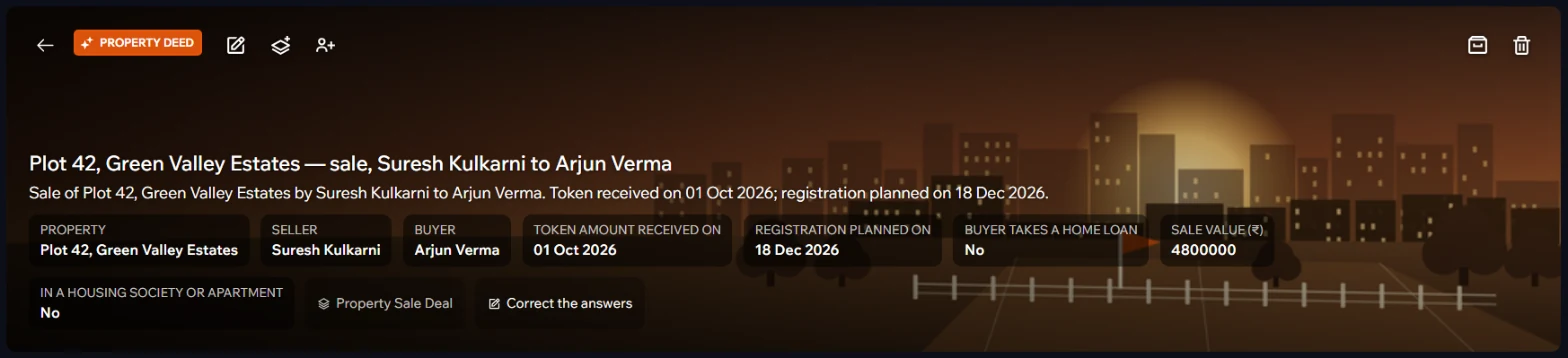
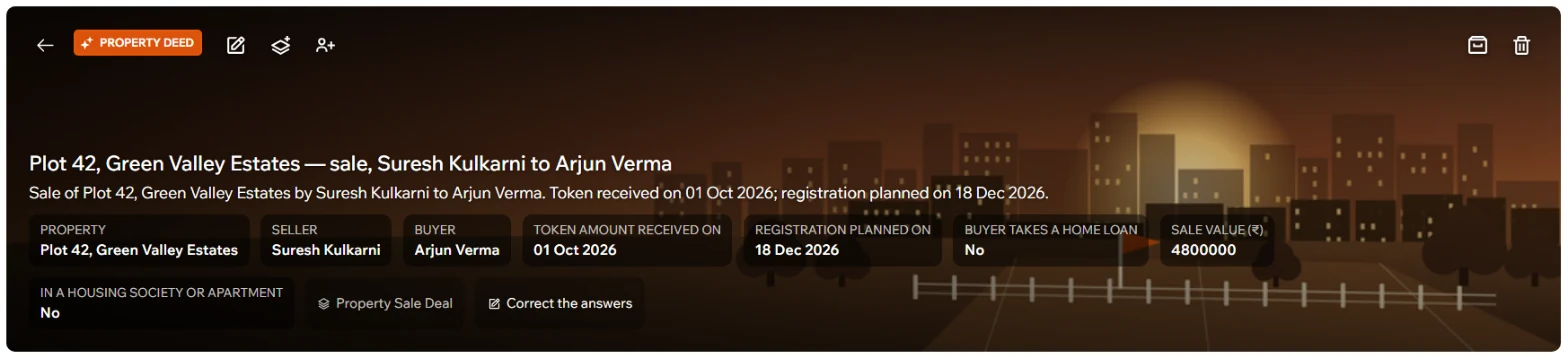
A property deal in Contuitive: the property, parties and dates at the top, with Correct the answersA property deal in Contuitive: the property, parties and dates at the top, with Correct the answers
Plot 42 as a real Contuitive deal, made from the Property Sale Deal workflow. The answers sit on top — and can be corrected.
EVENTS WITH PROOF

Every step keeps its paperwork

Tags, a note and the documents themselves, attached to the moment they belong to. The signed agreement sits on the day it was signed — not in a folder somewhere.
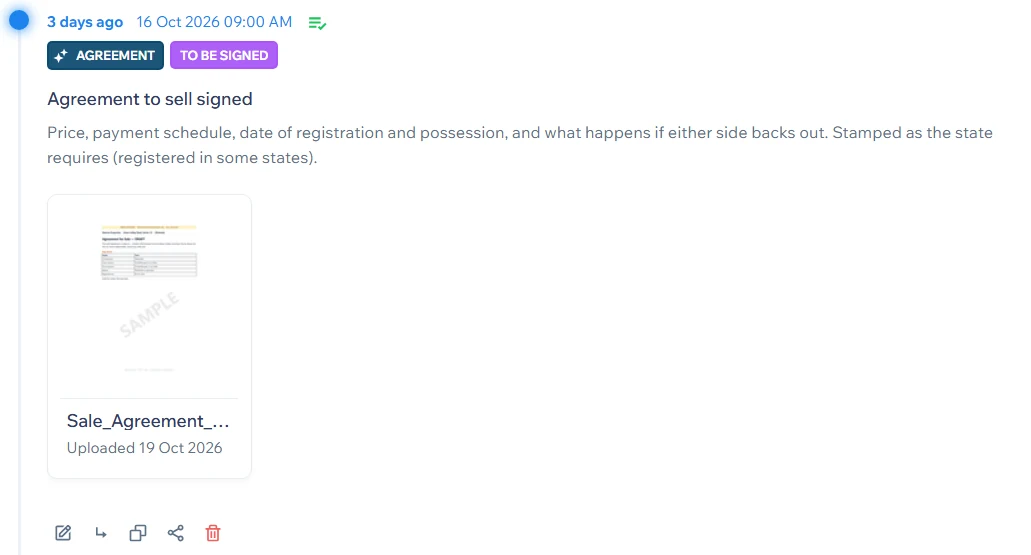
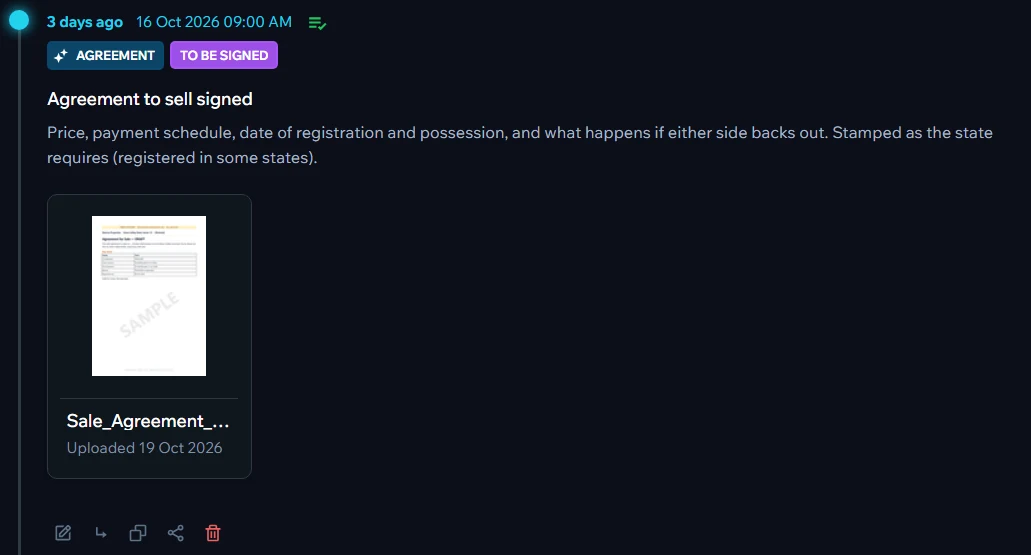
A deal step with its tags and the attached sale agreementA deal step with its tags and the attached sale agreement
WHAT'S NEXT

Reminders, and steps that wait their turn

Every upcoming step carries its reminder, shown a few days ahead. Steps that depend on another say so — Waits for: Mutation applied for in the municipal records — so the order of work is never in someone's head.
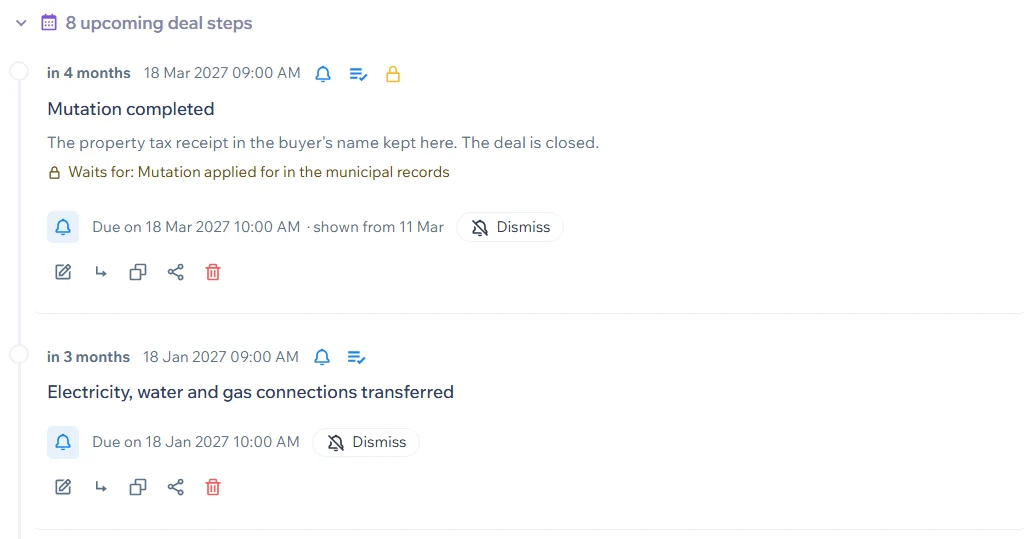
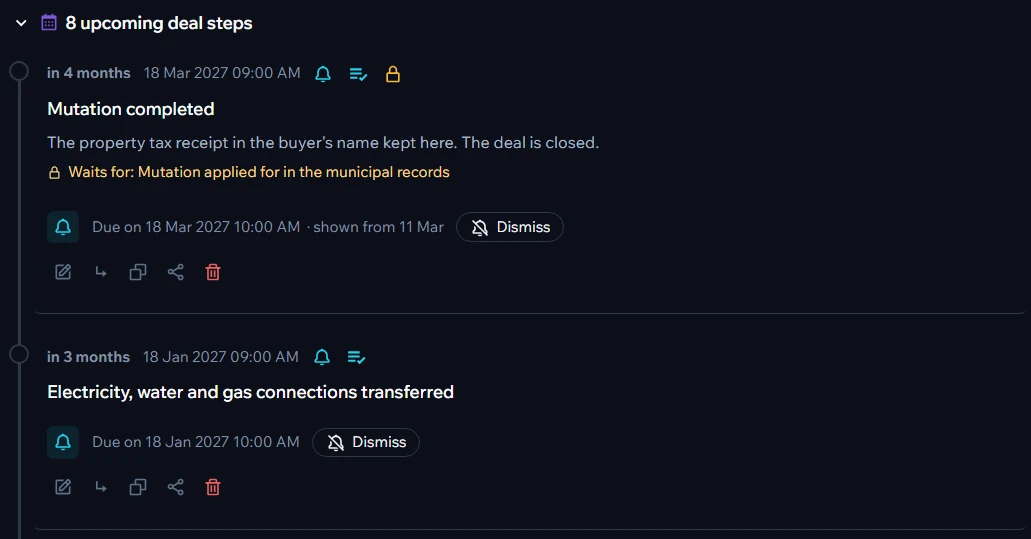
Upcoming deal steps with reminders and a step that waits for anotherUpcoming deal steps with reminders and a step that waits for another
CHECKLIST

Done, pending, and the proof for each

"6 of 14 complete · 8 pending", the next item and its date, and every finished item linked to the event and documents behind it. Reopen anything that turns out not to be done.
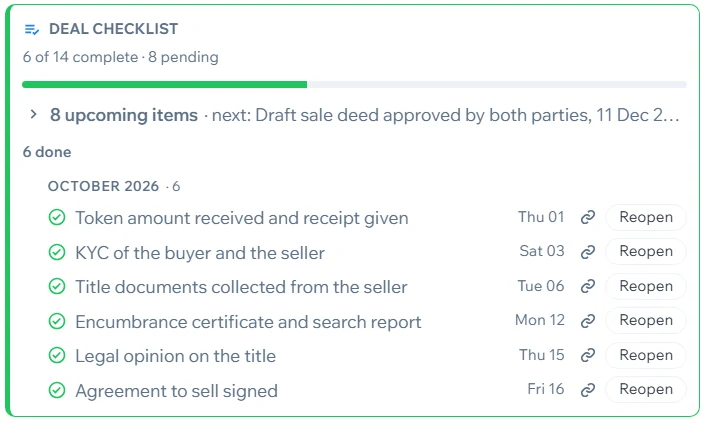
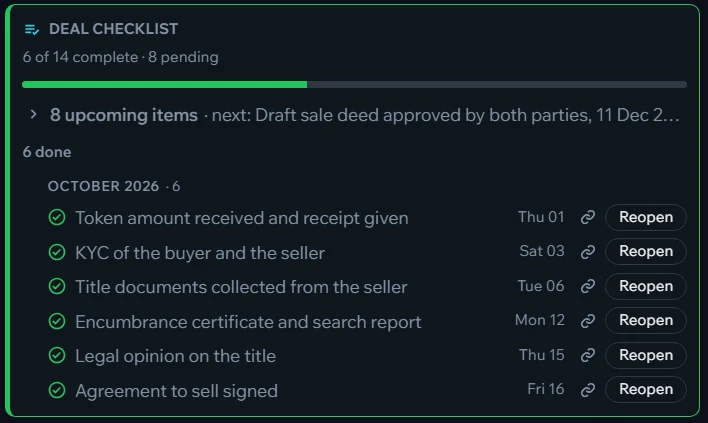
A deal checklist: 6 of 14 complete, each done item with its dateA deal checklist: 6 of 14 complete, each done item with its date
START FROM A READY-MADE WORKFLOW

A few questions. A complete plan.

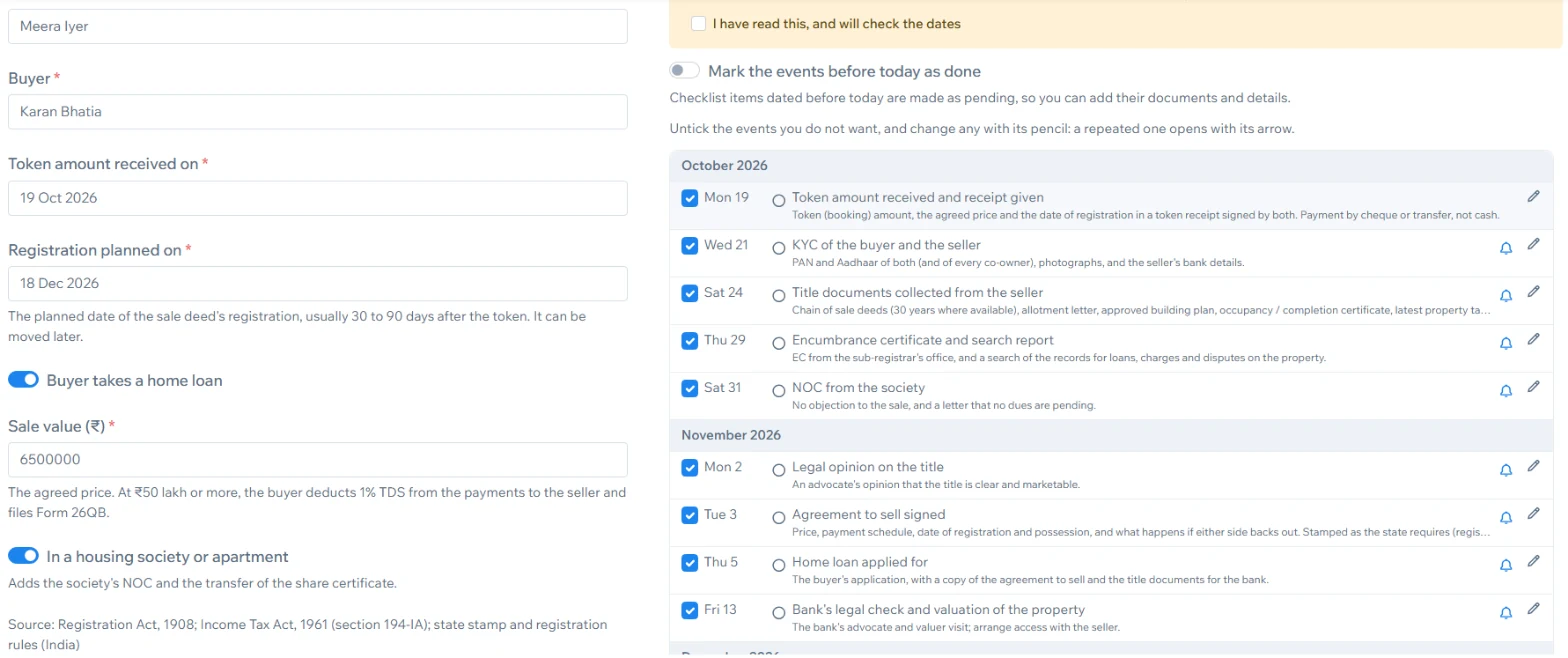
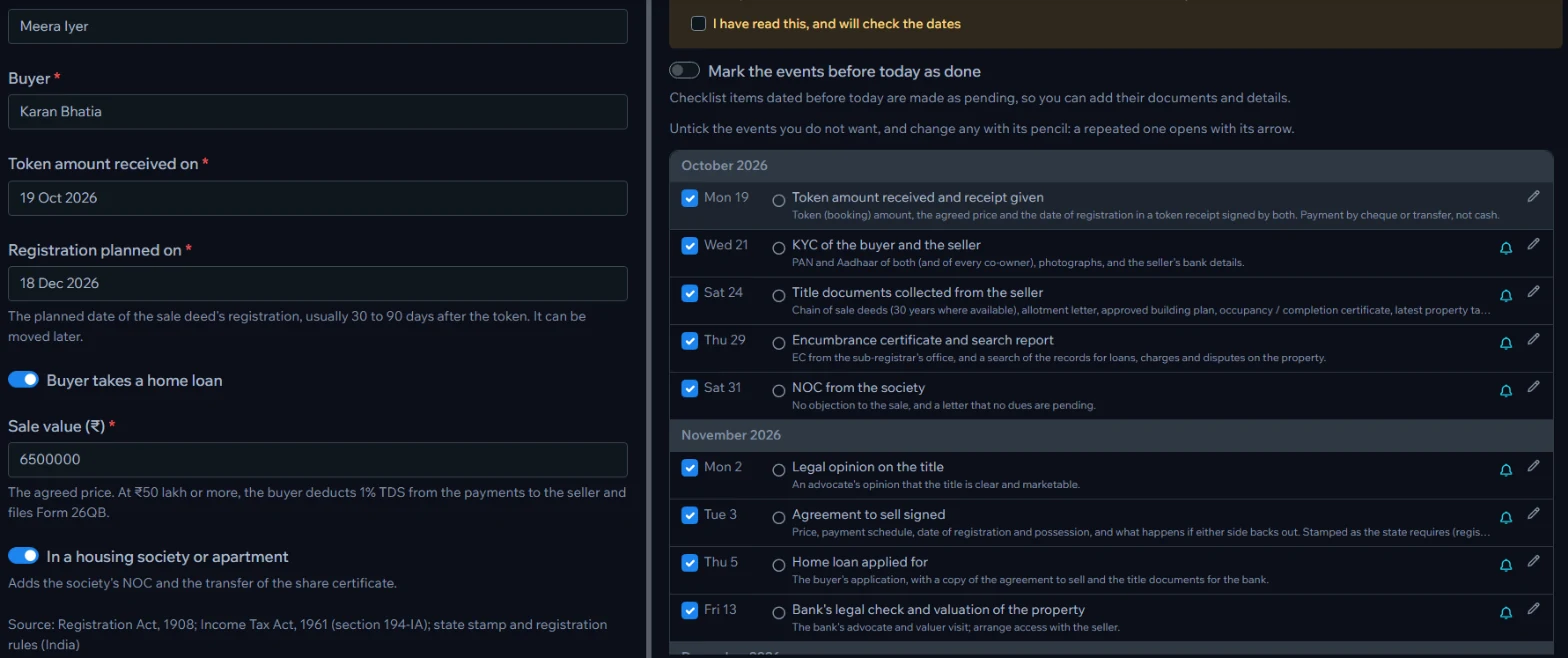
Choose a workflow, answer its questions — the client, the dates, a yes or no — and watch the preview fill with steps, reminders and a checklist. Untick what you don't need. Steps already late move to today; steps already done can be marked done.

Inside Contuitive
Answering a workflow's questions on the left while the plan appears on the rightAnswering a workflow's questions on the left while the plan appears on the right
Answer a few questions on the left; the plan appears on the right. Untick anything you don't need, edit any step.
A workflow's own words: Project becomes Deal, Event becomes Deal step, Checklist becomes Deal checklistA workflow's own words: Project becomes Deal, Event becomes Deal step, Checklist becomes Deal checklist
Its words: a deal has deal steps and a deal checklist.
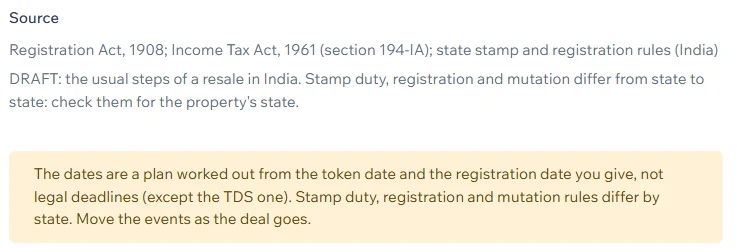
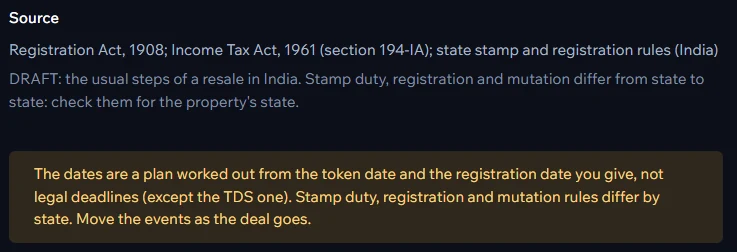
A workflow's sources and its note on what differs from state to stateA workflow's sources and its note on what differs from state to state
Its sources — and an honest note on what to check.

Dates worked out

From the dates you give — limitation periods, due dates, schedules. Plans, clearly marked, never legal advice.

Steps that wait for others

"Waits for: legal opinion on the title" — the order of work is built in.

Sources you can check

Each workflow names the acts, rules or guidance it follows, and what differs by state or region.

Yours to change

Correct the answers later, edit or delete any step, add your own — the workflow is a start, not a cage.

YOUR TRADE'S WORDS

It speaks your language

Your team shouldn't have to translate. Every workflow brings the words of its profession — a deal has deal steps and a deal checklist, a child's record has health records and vaccines due — so on day one it already feels like your own system.

CAs & tax practices

You open a

Filing

and add

Filing steps

Real estate agents

You open a

Deal

and add

Deal steps

Law firms

You open a

Case

and add

Steps

Families

You open a

Record

and add

Health records

Nothing is locked. Pick any workflow — a lawyer can use the property layout if it fits better — or write your own words for projects, events and stages.

REMINDERS THAT MOVE THE WORK

Answer a reminder with the next step

Any event can carry a reminder — for you, a colleague or your client. The answer isn't "OK": it's a new event with its own note and documents, and, if needed, the next reminder.

That way the trail records not just that something was due, but that it was done — and how.

Reminders reach you, a colleague or your client by email or WhatsApp — with a link straight back to the trail.

Reminder · 5 Sep

Pay the stamp duty today

Answer with an event
Payment5 Sep 2026

Stamp duty paid

Paid online. Challan and receipt attached.

Stamp_Duty_Challan.pdf Next: book registry slot
CLIENT SHARING

Give clients clarity — and get your time back

Your client isn't a user of the system — they're a guest on their own trail. They open your link, confirm a one-time code, and see a simple, always-current view that you control.

For your clients

  • Know where their matter stands, any time — without calling.
  • See exactly what's needed from them, and by when.
  • Send documents from their phone in a tap: no email attachments, no couriers.
  • A complete record of every step, to look back on.

For your practice

  • Far fewer status calls and follow-up messages.
  • Complete paperwork, sooner — reminders do the chasing.
  • Every upload lands on the right step, recorded in the audit trail.
  • A modern, transparent service that clients trust and recommend.

How it works

A link, not an account

Each client is identified by an email or phone number. No passwords to forget.

Verified by one-time code

Every visit is confirmed with a code sent by email or WhatsApp.

You choose what's visible

Show progress and requests. Keep internal notes and strategy private.

Uploads land in place

"Upload your driving licence" — the file arrives on the right event, not in your inbox.

Unlimited clients. Only your team needs licences.

ALSO INCLUDED

More than a timeline

Because PowerTrail runs on Contuitive's document engine, every document on a trail gets the full document engine.

LIVE DEMO

One engine, many kinds of work

Five real-world trails, laid out like the app. Pick one and try it — no sign-up, nothing is saved.

Coming soon
AI-POWERED POWERTRAILS

Trails that do the busywork for you

Today a PowerTrail keeps your plan, your documents and your deadlines in one place. Next, it starts working on them: reading what arrives, keeping itself up to date and telling you what needs you. Less admin, fewer things slipping through — and more time for the work only you can do.

Start from a document

Drop in a legal notice, a sale agreement or a tax notice. AI reads it, picks the right workflow, fills in the parties and dates, and proposes the whole trail.

Every file finds its place

A new upload or scan is matched to the right trail and step, tagged and attached — no more hunting for where it should go.

Checklists that tick themselves

AI notices that the encumbrance certificate just arrived, offers to tick it, and tells you what is still missing.

Deadlines read from documents

"Next hearing on 14 November" in an order becomes a dated step with a reminder — waiting for your OK.

Ask your trail

"Where are we on Plot 42?" — a plain answer: what's done, what's pending, and who is waiting on whom.

Drafts, ready to review

A progress update for the client, a reminder letter, the next agreement from your templates — prepared from the trail, sent only when you approve.

You stay in charge. AI proposes; nothing changes on a trail until you approve it.

Your choice of AI. Fully local with Ollama, or a cloud model with your own key — the same AI profiles you use today.

Nothing hidden. Every change is recorded in the audit trail, like any other.

Start your first trail with us

PowerTrail is invitation-only while we onboard our founding customers. Tell us about your work.

Request an invitation